Bates number your exhibits or a document production
Put the documents in order as one PDF, then stamp every page with a short prefix and a running number padded with zeros: WHITCOMBE000001, WHITCOMBE000002 and on. In PDF Stitch, open your files, choose Bates numbering under Tools (Pro), type the prefix and press Add to pages. For a US federal court, cut personal identifiers down before filing: Rule 5.2 lets a filing show only the last four digits of an account number.
See it: two exhibits, before and after
A made-up case, Whitcombe v. Larkspur & Vane Roofing, with two exhibits: the roofer's invoice, paid from the homeowner's bank account, and her email about a leak afterwards. In PDF Stitch they were put into one file, every page was stamped with the prefix WHITCOMBE and a six-digit running number, and the account number was blacked out but for its last four digits. Under each page is the text the file holds, read out of it.
Exhibit 1: the invoice
A made-up invoice, as it came, with the full number of the account it was paid from.
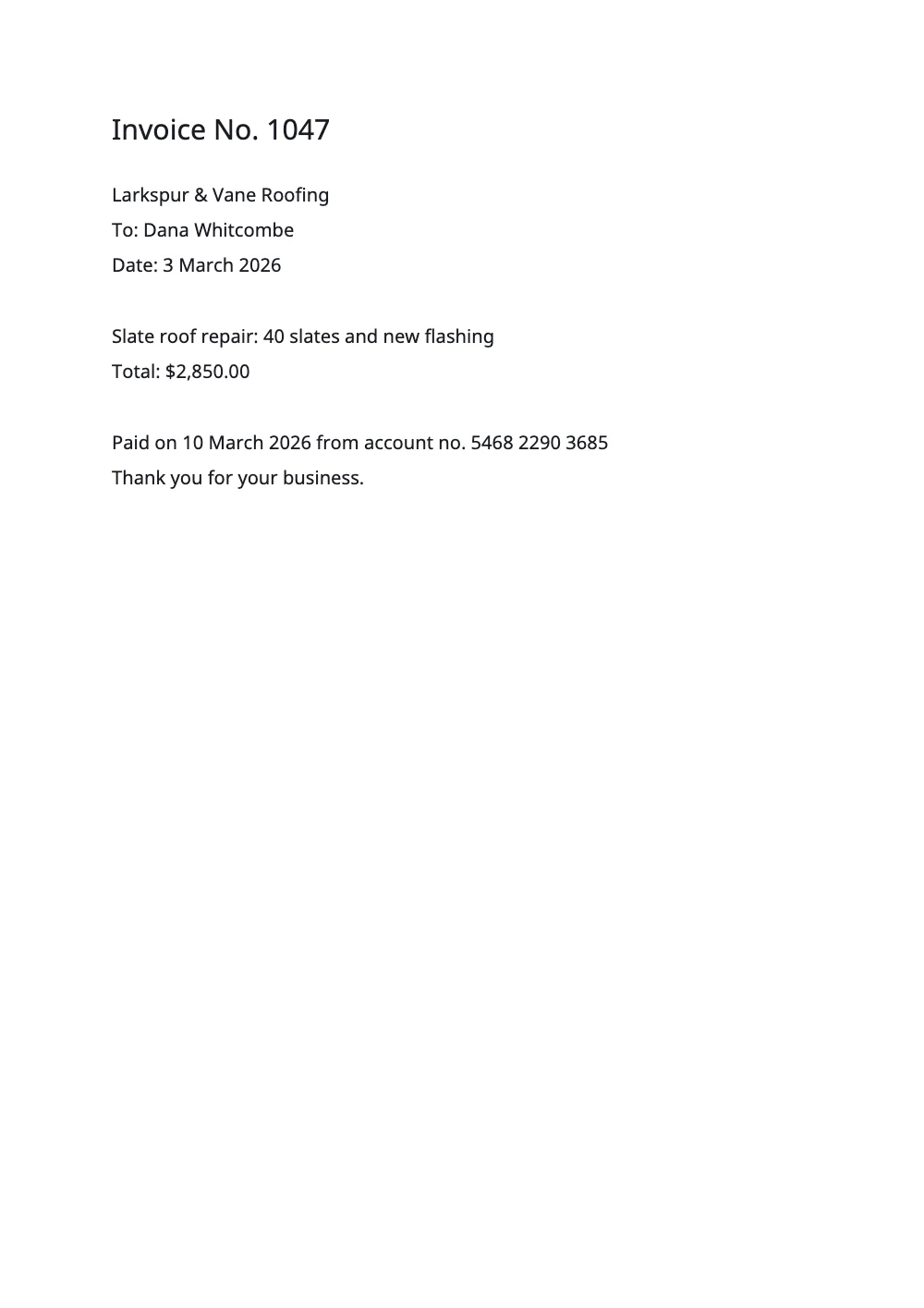
Try it: drag across the words on the page, or select all its text, then copy it. What you can copy is what the file holds.
The text in "Exhibit 1: the invoice"
Invoice No. 1047
Larkspur & Vane Roofing
To: Dana Whitcombe
Date: 3 March 2026
Slate roof repair: 40 slates and new flashing
Total: $2,850.00
Paid on 10 March 2026 from account no. 5468 2290 3685
Thank you for your business.
Exhibit 2: the email
A made-up email, printed to PDF, as it came.
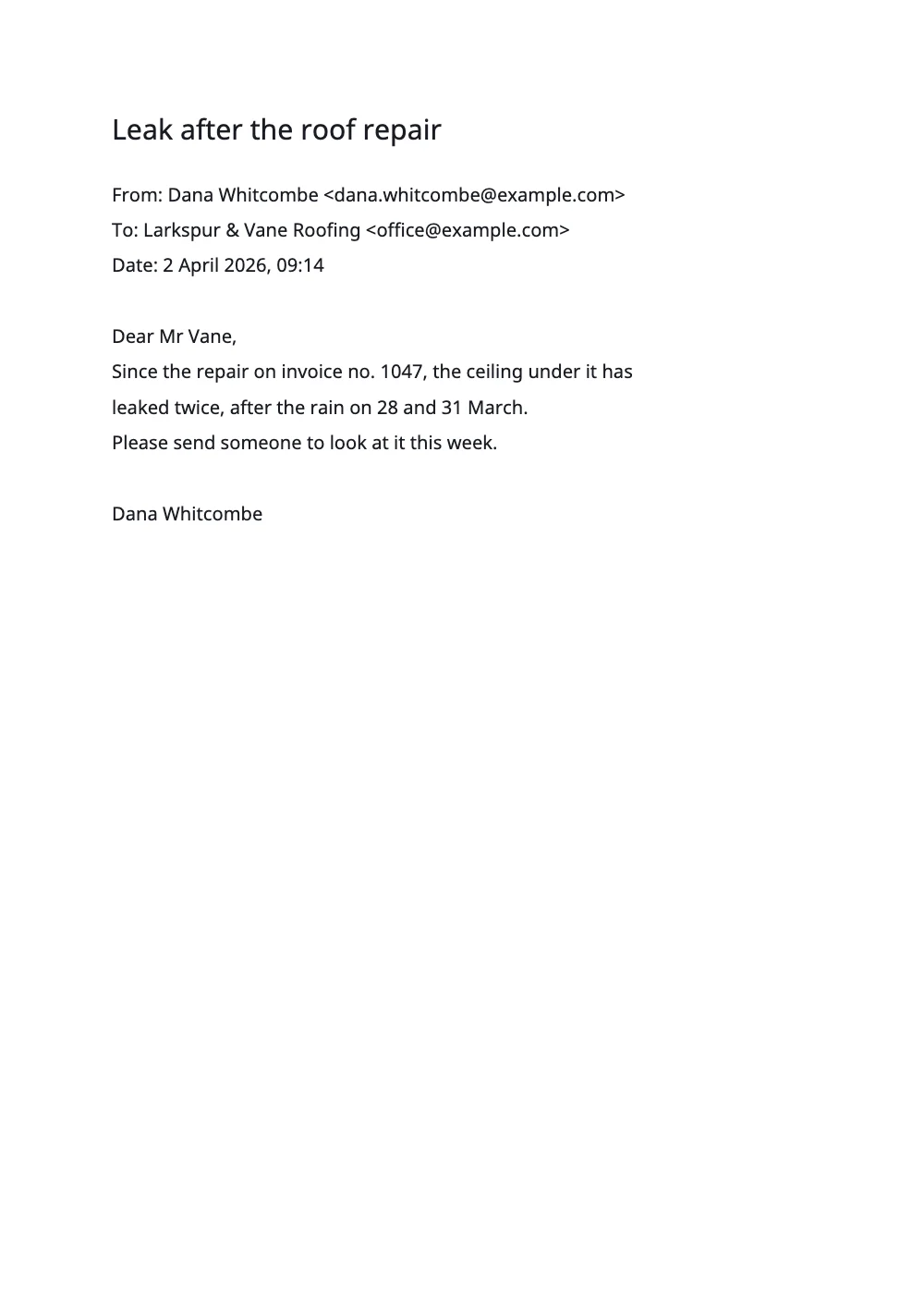
Try it: drag across the words on the page, or select all its text, then copy it. What you can copy is what the file holds.
The text in "Exhibit 2: the email"
Leak after the roof repair
From: Dana Whitcombe <dana.whitcombe@example.com>
To: Larkspur & Vane Roofing <office@example.com>
Date: 2 April 2026, 09:14
Dear Mr Vane,
Since the repair on invoice no. 1047, the ceiling under it has
leaked twice, after the rain on 28 and 31 March.
Please send someone to look at it this week.
Dana Whitcombe
Numbered with PDF Stitch
Both exhibits made one file in PDF Stitch, each page given a Bates number in its lower right corner, WHITCOMBE000001 and WHITCOMBE000002, and the account number blacked out but for its last four digits.
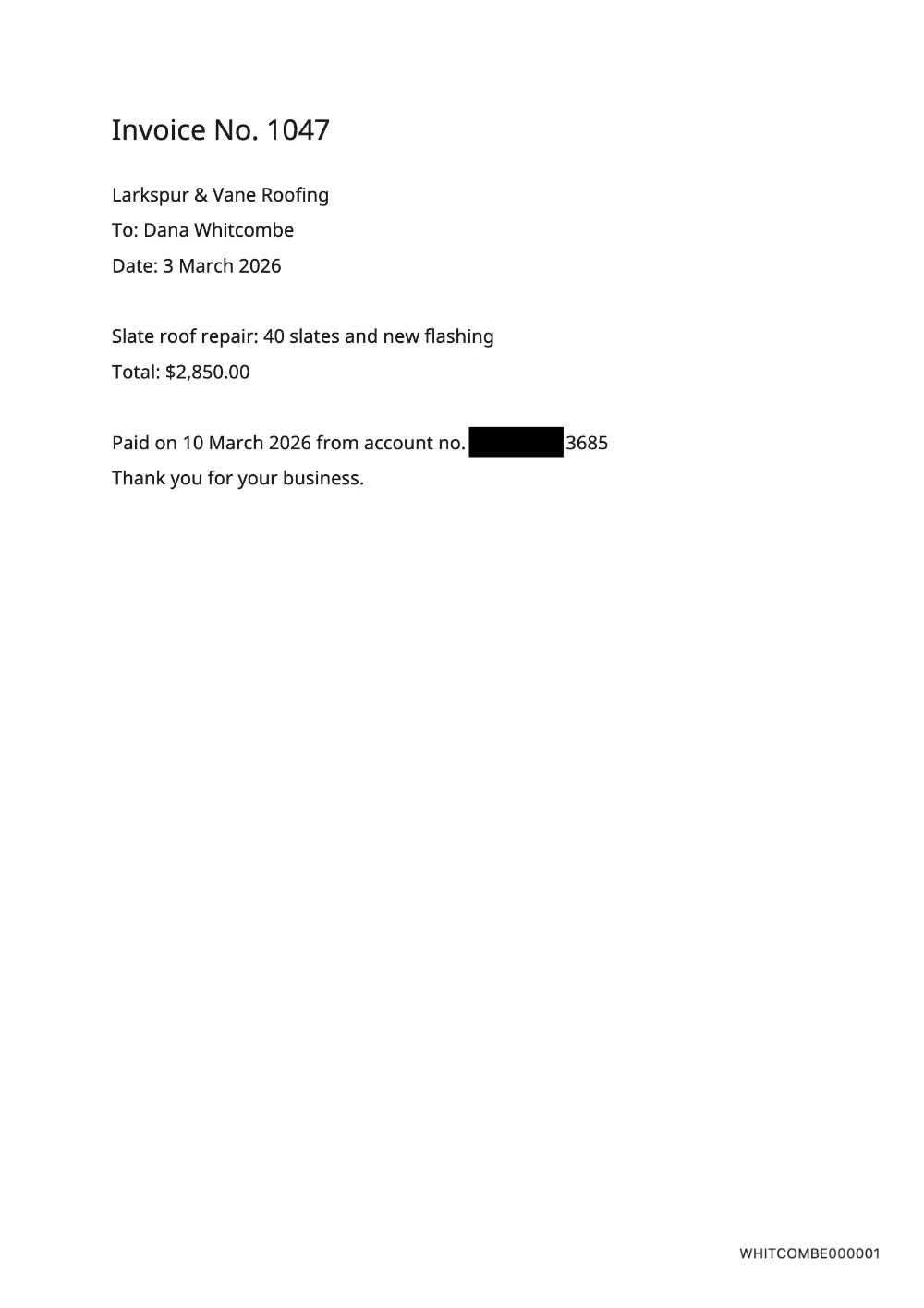
Try it: drag across the words on the page, or select all its text, then copy it. What you can copy is what the file holds.
The text in "Numbered with PDF Stitch"
Page 1
Invoice No. 1047
Larkspur & Vane Roofing
To: Dana Whitcombe
Date: 3 March 2026
Slate roof repair: 40 slates and new flashing
Total: $2,850.00
Paid on 10 March 2026 from account no. 3685
Thank you for your business.
Page 2
Leak after the roof repair
From: Dana Whitcombe <dana.whitcombe@example.com>
To: Larkspur & Vane Roofing <office@example.com>
Date: 2 April 2026, 09:14
Dear Mr Vane,
Since the repair on invoice no. 1047, the ceiling under it has
leaked twice, after the rain on 28 and 31 March.
Please send someone to look at it this week.
Dana Whitcombe
- The Bates numbers are drawn into each page as part of it. You can see and print them, but they are not in the file's text: a search for WHITCOMBE000002 finds nothing. The page numbers PDF Stitch adds are drawn the same way.
- The rest of the invoice can still be searched and copied, 3685 included: that is Keep redacted pages searchable, in Pro. Without it, a redacted page is a picture with no text at all, which is just as safe.
- Select the account number on the first exhibit and copy it: all twelve digits come out. On the numbered file, only 3685 does. The first eight are gone from the file, not covered.
What Bates numbering is
A Bates number is a reference stamped on every page of a set of documents, in order: a running number padded with zeros, in PDF Stitch with a prefix of your choosing in front of it, so WHITCOMBE000001 is followed by WHITCOMBE000002. Each page then has a name of its own, so it can be referred to and found again, whichever document it belongs to. It takes its name from Edwin G. Bates of New York, whose consecutive-numbering machine, in a US patent granted in 1892, moved on to the next number each time it printed.
In US litigation it is the usual way documents handed over in discovery are numbered. The parties can agree in writing how, and a court can make that agreement its order, as a federal court in West Virginia did in a large case. Its order asks that every number be unique across the whole production, the same length throughout, padded with zeros, with no special characters or spaces, and in order within each document, and that any number skipped be noted in the letter sent with the production. Where an order like it applies, a prefix of letters alone keeps to it.
Courts elsewhere number exhibits in their own ways. In England and Wales, the rules for exhibits to witness statements and affidavits ask that an exhibit made of several documents have a front page listing them with their dates and its pages numbered consecutively at the bottom centre, that a bundle of letters be in date order with the earliest on top, and that a witness who makes several statements number the exhibits on through all of them rather than starting again. Whichever court you file with, its own rules and the judge's orders come first.
How to Bates number exhibits in PDF Stitch
PDF Stitch runs in your browser, and the case files are not uploaded.
- Press Choose files and pick every document to number, or drop them on the page. They become the pages of one document.
- Drag the pages into the order they are to be numbered in.
- Open Tools and choose Bates numbering… (Pro).
- Type the prefix under Bates prefix. Set First Bates number, and choose Digits: four, six or eight. The number already stands in the Bottom right place. If Pages shows, choose Every page.
- Press Add to pages, check the corners of a few pages, then press Download.
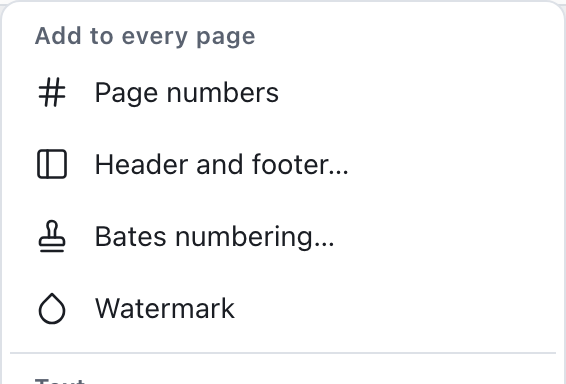
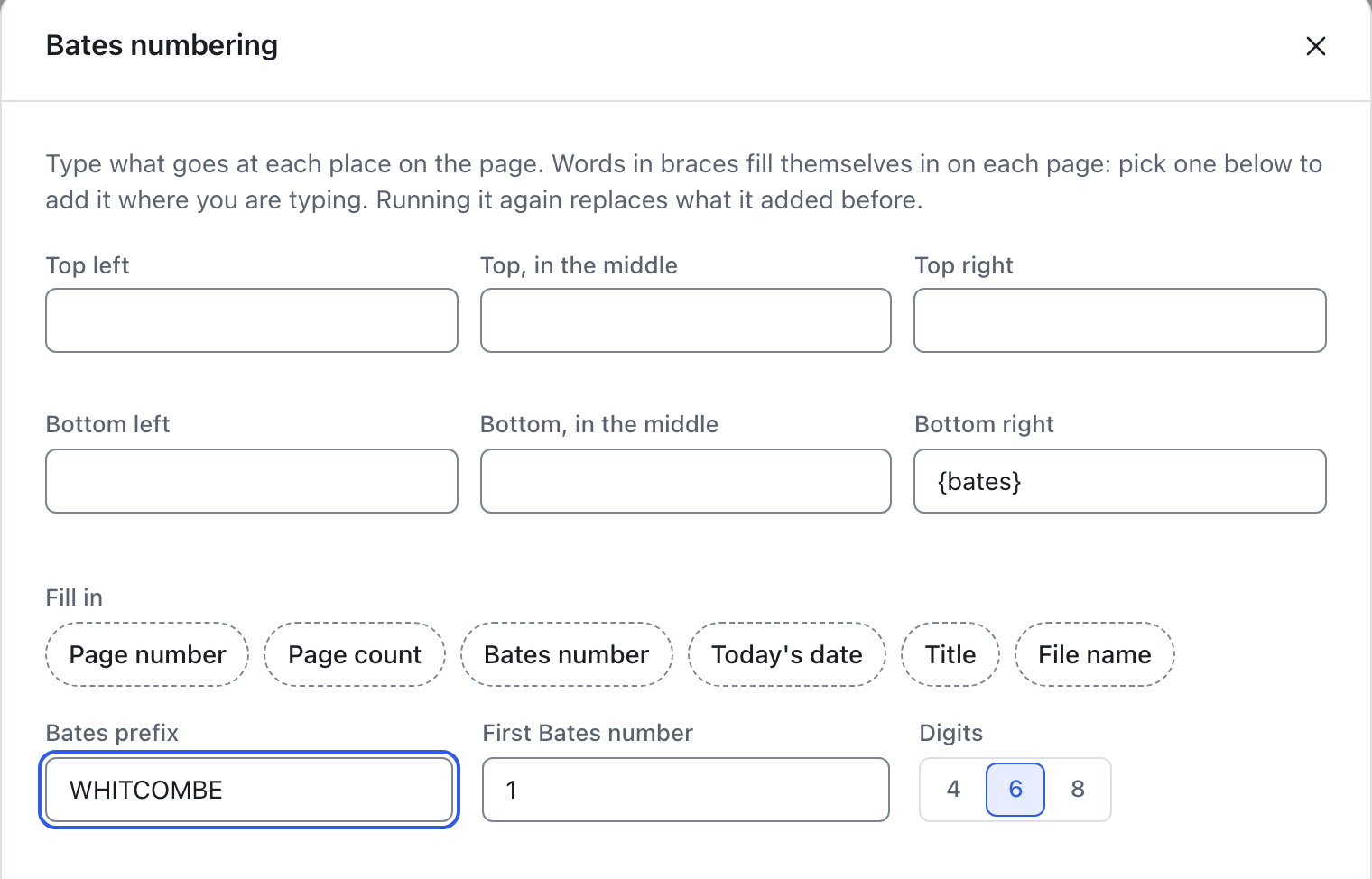
What else the same dialog does:
- Another place. It has six places, three at the top of the page and three at the foot. Clear the Bottom right place and type {bates} in another, or click into another and press Bates number under Fill in. If a number would cover something printed in the corner, choose another place. The number starts at the smallest of the three sizes under Size.
- A legend beside the number. Type words into another place, such as CONFIDENTIAL, to put them beside the number on every page. A protective order may ask for its legend only on pages that hold protected material, as the Northern District of California's model order does: after numbering, double-click each such page to open it large, choose the Text tool and type it there. Words for every page go in this dialog: Header and footer… writes in the same places, and running either one replaces what the other added.
- The next volume. To go on where an earlier production ended, set First Bates number to the number after its last one.
- A cover sheet. No number on the first page leaves the first page bare. It still uses up a number, so the second page gets the number after First Bates number.
- Running it again replaces the numbers it added, so after you reorder pages, run it once more with the same prefix and First Bates number.
Page numbers only. Where pages need only numbering in order, as an exhibit's pages are numbered at the bottom centre in England and Wales, Page numbers under Tools numbers every page, at the bottom in the middle unless you choose another place.
Redact personal identifiers before filing (US federal courts)
Federal Rule of Civil Procedure 5.2 is the rule of the US federal courts in civil cases. Unless the court orders otherwise, and but for the exceptions the rule lists, a filing with the court that contains these may show only:
- A Social Security number or taxpayer identification number: its last four digits.
- A birth date: the year.
- The name of someone known to be a minor: their initials.
- A financial account number: its last four digits.
In federal criminal cases, Federal Rule of Criminal Procedure 49.1 asks the same, and adds a home address, of which a filing may show only the city and state. Other courts have rules of their own.
- The filer is responsible. The notes to Rule 5.2 say the clerk is not required to check filings, and that the responsibility to redact rests with counsel and the party or nonparty making the filing.
- Unredacted copies. Whoever makes a redacted filing may also file an unredacted copy under seal, or file a reference list under seal that ties each redacted item to an identifier.
- Your own details. A person who files their own information without redacting it, and not under seal, gives up the rule's protection for it.
- Discovery is different. Rule 5(d)(1)(A) says the disclosures of Rule 26(a)(1) and (2), and depositions, interrogatories, requests for documents or for admission and the answers to them, must not be filed until they are used in the proceeding or the court orders it. Rule 5.2 is about what is filed, so check each exhibit as it goes into a filing.
In PDF Stitch, where a number is written in groups with spaces between them, black out only some of its groups by finding them:
- Open Tools and choose Find and black out…
- Type the digits to remove under Words or phrases, as they are written, such as "5468 2290", and press Enter. For whole numbers, choose a kind of detail under Also find: email addresses, phone numbers, card numbers, bank account numbers (IBAN) and US social security numbers.
- Press Find, check each match, then press Black out chosen (Pro). Without Pro, close it, double-click the page to open it large, choose the Redact tool (X) and draw a box over each match, then press Back to all pages.
- Press Download. Each redacted page is checked for text left under a box before the file is saved.
A match is blacked out as whole words. So part of a number written with hyphens, as a Social Security number is, takes the whole number with it, and part of a number written without spaces is not found at all while Whole words only is on, as it is from the start. And where PDF Stitch cannot tell exactly where each word lies on the page, as with the narrow digits of some fonts, it blacks out the whole line, to be safe. Look at the page before you download: where a line must keep part of a number, draw the Redact box by hand over just what to hide.

Find and black out in PDF Stitch
A number blacked out whole also meets the rule, which says what a filing may show at most. Only Redact and Find and black out take the words out of the file: a box drawn with a shape tool covers them and leaves them there.
Before you file or produce
- Page through the download: one number on every page, in order, none skipped and none twice, and each readable where it stands.
- Check the first and last numbers against the letter or index that goes with the documents.
- Search the download for a number you blacked out, such as its first four digits, and copy and paste a redacted page into a text editor. Nothing under a box should come out.
- Check the file's name and its properties too, which no box reaches: choose Document properties under More ways to export, beside Download. Remove hidden information there leaves out the metadata and other information nobody sees on the pages (Pro).
- A large production can be made as page images with load files that list each document's first and last number, as the West Virginia order sets out. PDF Stitch makes one PDF, which suits a bundle of exhibits or a small production.
You do not have to take our word for it
-
Watch the network
The "Nothing is uploaded" button in the app opens a list of every other site the page has contacted since you opened it, and how often, taken from the browser's own record. Your browser's developer tools show every request, this site's own included.
-
Pull the plug
Once the app has loaded, turn off your network and keep working. Text recognition, the document converter and the handwriting fonts work offline too after their first use.
-
Redaction that removes
A page with something blacked out is saved as a picture of itself, so the text under the box is gone, and every redacted page is checked before the file is saved.
Questions
- Is Bates numbering in PDF Stitch free?
- No, Bates numbering is part of Pro. Putting the documents into one file, page numbers, and redacting by hand with the Redact tool are free, and so is the search in Find and black out; blacking out everything it found at once is Pro, and so is keeping the rest of a redacted page searchable.
- Are my case files uploaded?
- No. PDF Stitch runs in your browser, and the files are not uploaded.
- Can the Bates numbers be searched in the downloaded file?
- No. They are drawn into each page, not added as text, so they can be seen and printed but not found with a search.
- How many digits should a Bates number have?
- PDF Stitch pads the number to four, six or eight digits. Choose enough for the whole case, so every number stays the same length; an agreed protocol or the court may set it.
- Can I start from a number other than 1?
- Yes. Set First Bates number to any whole number, such as the number after the last page of an earlier production.
- Does Rule 5.2 apply outside the United States?
- No. It is a rule of the US federal courts, in civil cases. Anywhere else, the rules of the court you file with say what a filing may show.
- Should I redact before or after numbering?
- Either way in PDF Stitch: both take effect when you download. Number the pages once their order is final.
Sources
- Federal Rules of Civil Procedure, Rule 5.2: Privacy protection for filings made with the court, with the committee notes (Legal Information Institute)
- Federal Rules of Civil Procedure, Rule 5: Serving and filing pleadings and other papers (Legal Information Institute)
- Federal Rules of Criminal Procedure, Rule 49.1: Privacy protection for filings made with the court (Legal Information Institute)
- US District Court for the Southern District of West Virginia, MDL 2326, Pretrial Order 13: Stipulation for the production of documents and electronically stored information (2012)
- US District Court for the Northern District of California: Stipulated protective order for standard litigation (model, 2022)
- Civil Procedure Rules (England and Wales), Practice Direction 32: Evidence
- Edwin G. Bates: Consecutive-numbering machine, US patent 484,391 (1892)
- Wikipedia: Bates numbering