Your redacted PDF might not be redacted: how to check
Open the PDF, press Ctrl+F (Cmd+F on a Mac) and search for a word you blacked out. Then select all, copy, and paste into Notepad or TextEdit. If the word is found or pasted, it is still in the file and anyone can read it: redact it with a tool that takes the words out, not one that covers them.
See it for yourself: two copies of one letter
Both files are the same letter. In the first, black boxes were drawn into the page over the name, the address, the bank account and the email address, as a drawing tool draws them. In the second, the same details were redacted with PDF Stitch. Under each page is the text the file holds, read out of it.
Covered with black boxes
Black boxes were drawn over the private details. The words are still in the file under them.
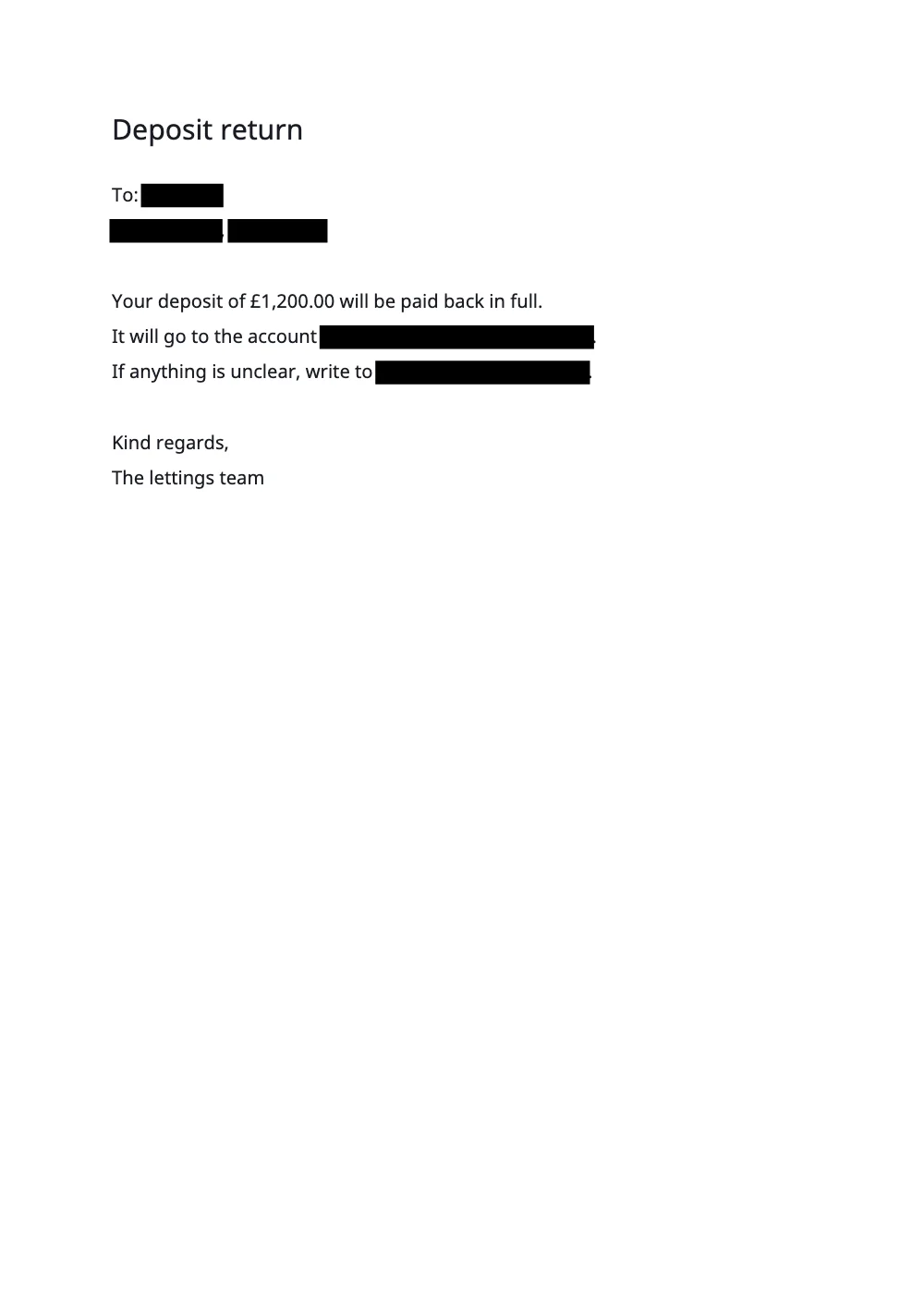
Try it: drag across the words on the page, or select all its text, then copy it. What you can copy is what the file holds.
The text in "Covered with black boxes"
Deposit return
To: Jane Doe
14 Elm Road, Springfield
Your deposit of £1,200.00 will be paid back in full.
It will go to the account GB33 BUKB 2020 1555 5555 55.
If anything is unclear, write to jane.doe@example.com.
Kind regards,
The lettings team
Redacted with PDF Stitch
The same letter after Find and black out in PDF Stitch. The words under the boxes are gone from the file. A box already hid them, so the app could not see where each word lay under it, and blacked out the whole line it was in.
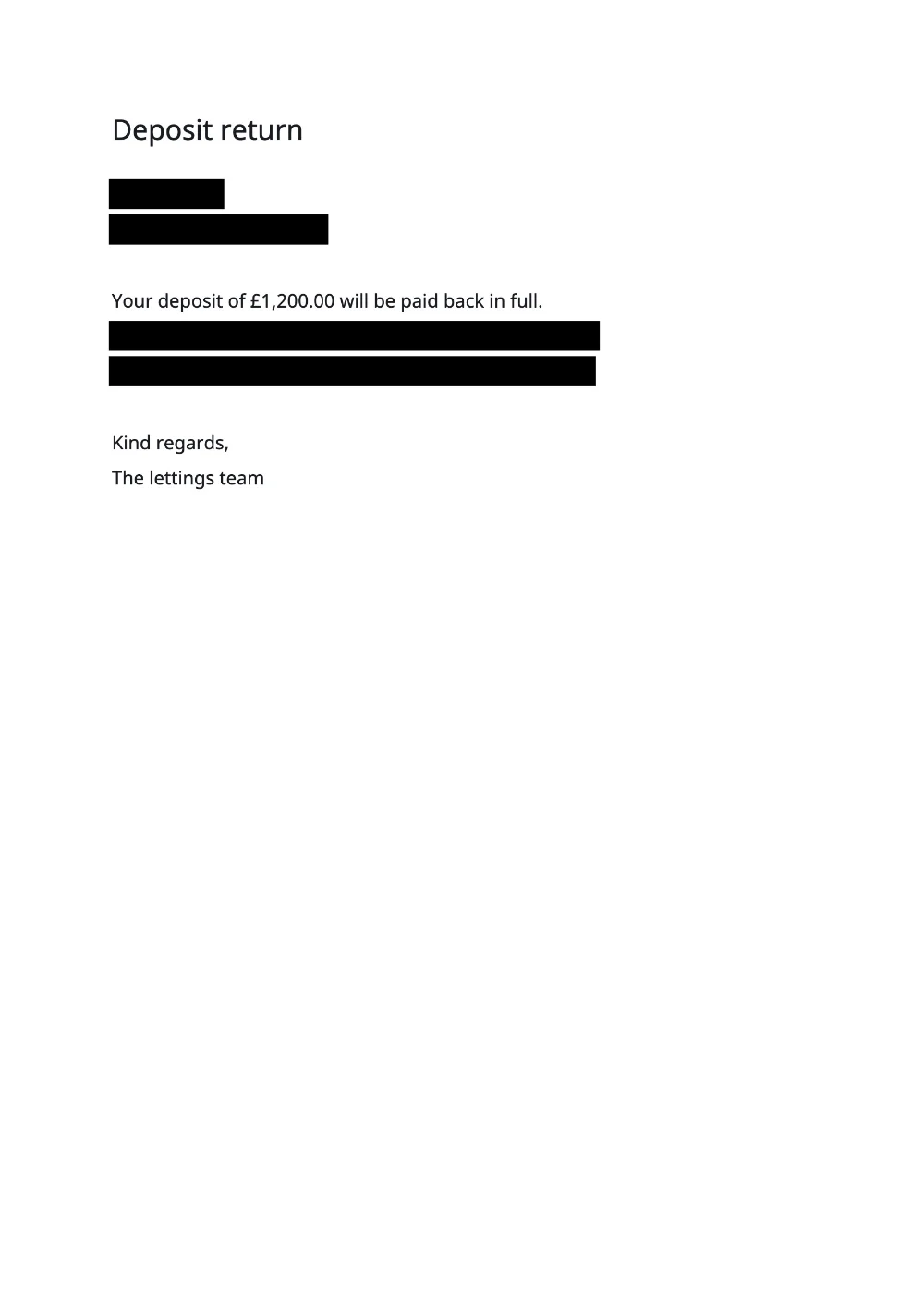
Try it: drag across the words on the page, or select all its text, then copy it. What you can copy is what the file holds.
The text in "Redacted with PDF Stitch"
Deposit return
Your deposit of £1,200.00 will be paid back in full.
Kind regards,
The lettings team
This copy keeps the rest of the letter searchable: that is Keep redacted pages searchable, in Pro. Without it, a redacted page is a picture with no text at all, which is just as safe.
- Select the words over a black box in the first letter, copy them and paste them anywhere: the name and the bank account come out.
- Do the same on the second letter. There is nothing under the boxes to select.
- Open the first letter in PDF Stitch, open Tools, choose Find and black out… Then type "Jane Doe" under Words or phrases and press Find: it is found, under its box.
How to check a redacted PDF
The first five checks need only the program you read PDFs with. Do them in this order: the first two take seconds and catch the most common mistake. Do them on the copy you are about to send, not on your working file.
1. Search for a word you blacked out. Press Ctrl+F on Windows or Cmd+F on a Mac, and type a word that is under a box: a surname, or the last four digits of an account number.
- Not redacted if the search finds it, often highlighted on or beside the black box.
- Limits: a search only finds text. A scanned page whose text was never recognised holds none, so finding nothing there proves nothing. Type a short piece rather than a whole number: a number written with spaces will not match it typed without them.
2. Copy everything and paste it. Click on the page, select all (Ctrl+A, or Cmd+A on a Mac) and copy (Ctrl+C or Cmd+C). Paste into a plain text program: Notepad on Windows, TextEdit on a Mac.
- Not redacted if the words that were under the boxes are in what you pasted. Reporters and bloggers have read the hidden parts of court filings and government reports this way.
- Limits: in a long file, make sure what you pasted reaches the pages with boxes. If the program refuses to copy, the file may be set to forbid copying: that says nothing about whether the words are there, so rely on the search.
3. Drag across a box, and click it. With the ordinary text cursor, drag from just before a black box to just after it. Then click the box once, and double-click it.
- Not redacted if letters highlight inside the box, or if the box shows a frame or handles and can be moved or deleted. A box you can move is a comment laid on top of the page: move it, and the words are there.
- Limits: a box drawn into the page itself does not move this way, and the words can still be under it. The first two checks are what tell you that.
4. Look outside the pages. A PDF carries text that is not on any page. In your PDF program, look at the document's properties (its title, author, subject and keywords), its bookmarks, comments, form fields, attachments and layers. A title can name the person, a bookmark can name what a page said, a filled-in field keeps its value even under a box, and a whole unredacted file can be attached. Check the file's own name too.
5. A scan, or a picture under the box. If the page is a scan or a photo, the first two checks may find no text at all. That does not mean the boxes worked. A box drawn over a scan covers the picture, and the picture of the words can still be under it. And a scan whose text was recognised carries that text laid invisibly over the picture, which a box does not remove. You cannot tell by looking whether a picture is under a box, so treat a box drawn over a scan as not redacted.
6. Search the whole file in PDF Stitch. PDF Stitch runs in your browser, and the file is not uploaded. Open the PDF, open Tools and choose Find and black out… Type a word under Words or phrases, pressing Enter after each one, or choose a kind of detail under Also find, then press Find. A match for a word you thought was blacked out means it was not. It searches the pages' text and the file's own form fields and comments, and names each page it could not search, such as a scan whose text is not yet recognised.
Find and black out in PDF Stitch
What no quick check shows. Many programs save a change by adding it to the end of the file, so an earlier version, from before the boxes, can still be inside, where no ordinary viewer shows it. And researchers have found that even where a tool removed the words, the exact positions of the letters around a box can give away a name. A page saved as a picture with no text keeps no exact letter positions in the file, only what the picture shows.
Why redaction goes wrong
A PDF page is made of separate things laid on top of each other: text, pictures, shapes and comments. A black box is one more thing on top. Unless something takes the words out, they stay underneath. These are the usual ways it happens:
- A rectangle drawn over the text. The most common mistake. The box is a shape; the text under it is untouched.
- Text highlighted in black. A black highlight colours the words' background. The words are still text.
- A comment box. Some programs add a box as a comment that sits on the page. It can be moved or deleted, and the words are under it.
- Covered in Word, then saved as PDF. Black boxes or black highlighting in a Word document go into the PDF as they are, over text that also goes into the PDF.
- Text the colour of the paper. White text on a white page cannot be seen, and can be copied.
- A cropped page. Cropping hides the edges of a page. What is cut off is still in the file.
- A text layer over a scan. Recognised text lies invisibly over a scanned page. A box over the picture leaves it.
- A picture under a box. A box over part of a photo or scan leaves the whole picture in the file.
- The document's properties, bookmarks, comments, form fields and attachments. Each can hold the same words, away from the page, where no box reaches.
- Earlier versions. A file saved by adding changes to its end can carry the version from before the boxes.
When it went wrong in public
- May 2005: the US military report on the death of Nicola Calipari. The US military published its report on the shooting of the Italian agent in Baghdad as a PDF with large parts blacked out. Copying the text into a word processor showed everything under the boxes, including the names of soldiers and officers. The Pentagon took the PDF down, but copies had already spread.
- 2009: the TSA's airport screening manual. The US Transportation Security Administration posted its screening procedures on a government contracting website in March 2009, with parts redacted. In December it learned from a blogger that the redacted parts could be read. Its acting head told Congress that "the redaction on this particular document had been performed incorrectly".
- January 2019: Paul Manafort's court filing. Lawyers for Donald Trump's former campaign chairman filed a response with some passages blacked out. Reporters copied the text under the boxes into a new document. It showed that prosecutors accused Manafort of lying about sharing polling data with Konstantin Kilimnik.
- December 2025 to February 2026: the Epstein files. Reporters found that some redactions in files the US Justice Department released could be undone by copying the blacked-out text into another file. The department said those redactions had been made by parties to a civil case. In February 2026 it withdrew several thousand documents after victims and their lawyers reported exposed details. Reporters found names crossed out but still readable, and redactions that came off with a double click.
In each case the black boxes looked right on the screen, and the words were still in the file.
How to redact so the words are gone
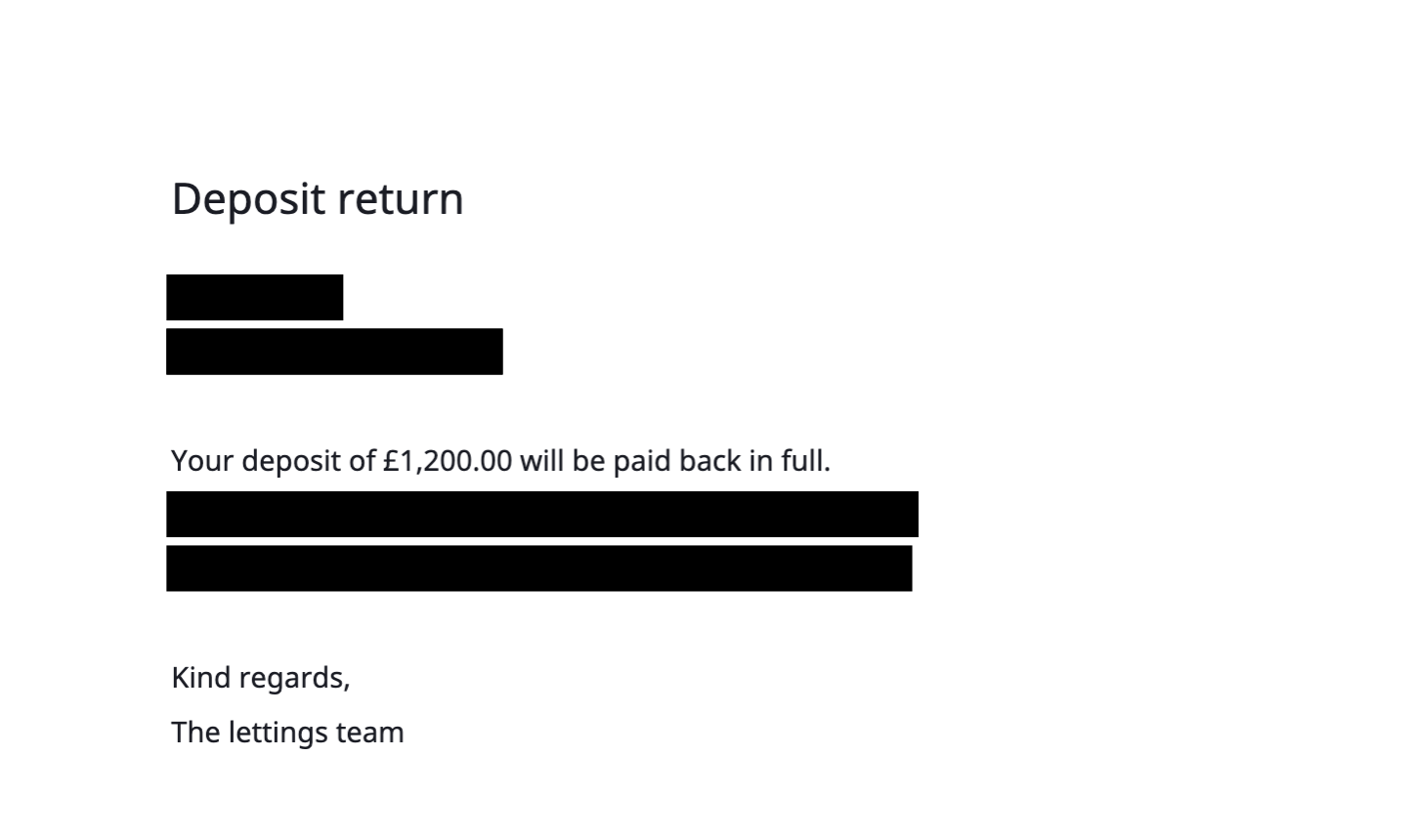
PDF Stitch takes the words out instead of covering them. When you download, each page with a redaction becomes a picture of itself, drawn at 216 dots per inch with the black boxes in it, so what was under a box is not in the file at all: not as text, and not as a picture under the box. Pages without a redaction keep their text. Before the file is saved, the app opens it and checks each redacted page; if it finds any text under a redaction, it does not save the file. The download is a new file, written whole, so no earlier version of a page is inside it.
By hand, a box at a time:
- Open your PDF in PDF Stitch and double-click a page to open it large.
- Choose the Redact tool (X) and draw a box over each thing to remove.
- Press Back to all pages, then Download. The redacted pages are checked for leftover text before the file is saved.
Every place a name or number appears, found for you:
- Open your PDF in PDF Stitch, open Tools and choose Find and black out…
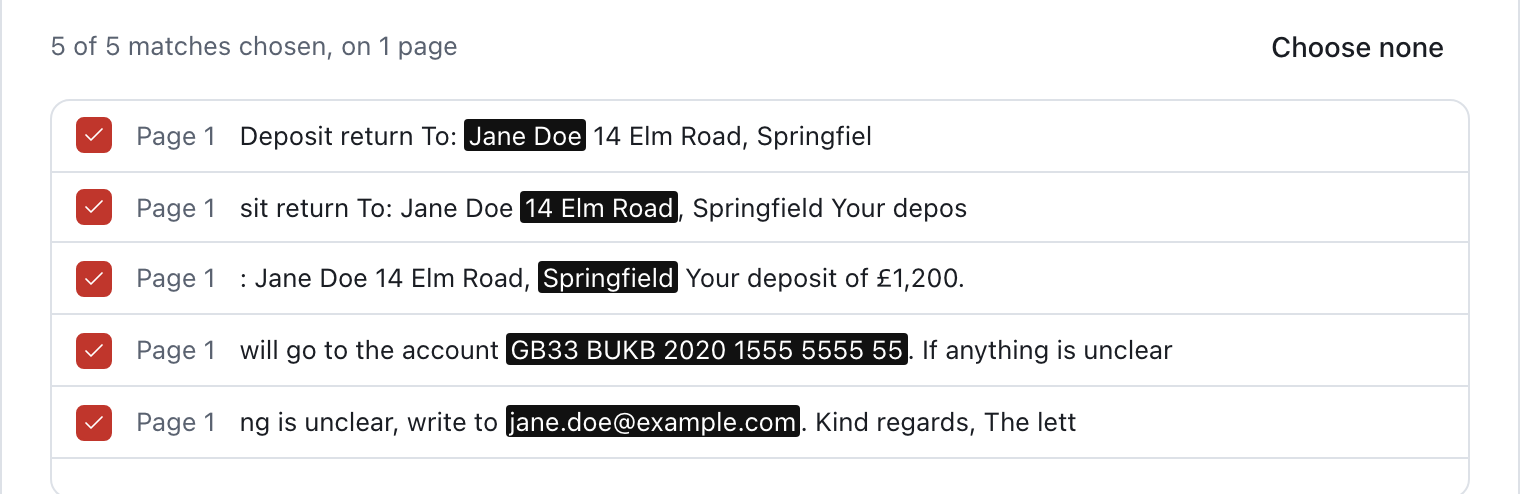
- Type each name or number under Words or phrases, pressing Enter after each one, or choose a kind of detail under Also find: email addresses, phone numbers, card numbers, bank account numbers (IBAN) and US social security numbers. Press Find.
- Check the list of matches, then black them out: press Black out chosen to black them all out at once (Pro), or draw a Redact box over each by hand.
- Press Download.
Before you send it:
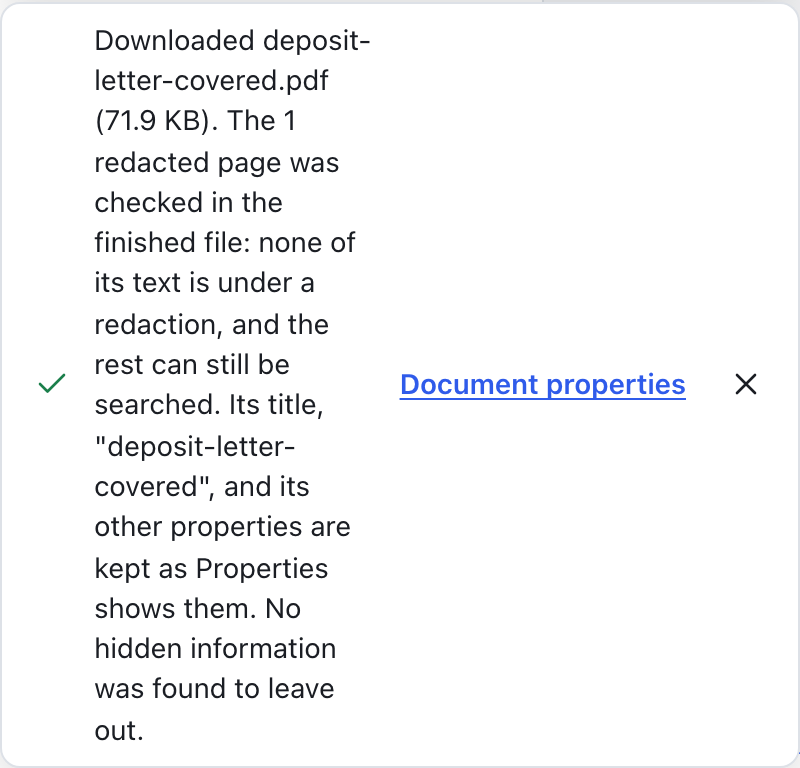
- Check the document's title and other properties: press Document properties in the notice after downloading, or choose it under More ways to export beside Download. No box reaches them, and the title is the name of what you are working on unless you give it one.
- Find and black out also lists where it found your words away from the pages, in the download's properties, in bookmarks and in form field names, each with a button to put it right, such as Leave bookmarks out.
- Open the downloaded file and do the first three checks on it. There should be nothing to select under a box.
What is not redaction. In PDF Stitch, as anywhere, the Rectangle, Highlighter, Whiteout, Edit text and Crop tools all leave the words in the file. Only Redact, and Find and black out, which makes Redact boxes, take them out.
You do not have to take our word for it
-
Watch the network
The "Nothing is uploaded" button in the app opens a list of every other site the page has contacted since you opened it, and how often, taken from the browser's own record. Your browser's developer tools show every request, this site's own included.
-
Pull the plug
Once the app has loaded, turn off your network and keep working. Text recognition, the document converter and the handwriting fonts work offline too after their first use.
-
Redaction that removes
A page with something blacked out is saved as a picture of itself, so the text under the box is gone, and every redacted page is checked before the file is saved.
Questions
- Is redaction in PDF Stitch free?
- Yes. Blacking out by hand with the Redact tool, and the check before saving, are free, and so is the search in Find and black out. Pro adds blacking out everything found at once, keeping the rest of a redacted page searchable, and leaving out hidden information. Free redaction is just as safe: the page is saved as a picture with no text at all.
- Can the text under a box be copied out of a file made with PDF Stitch?
- No. A page with a redaction is saved as a picture of itself, so the words under a box are not in the file. The app checks each redacted page before saving, and does not save the file if it finds text under a redaction.
- Is my file uploaded?
- No. PDF Stitch runs in your browser, and the file is not uploaded.
- I received a redacted PDF. Can I tell whether it was done properly?
- Partly. Search for a word you expect under a box, and copy and paste the page: if the words come out, it was not redacted. If nothing comes out on a page that has text, the text under the boxes is most likely gone. What you cannot see from outside is whether a picture sits under a box on a scan, or whether an earlier version is inside the file.
- Does a rectangle drawn in Word, Preview or another editor count as redaction?
- No. A shape drawn over text, in any program, leaves the text in the file. Some programs have a separate redaction tool that removes it; a drawing tool does not. Whatever you use, search the file and copy and paste it before you send it.
- Does it work on scans?
- The Redact tool works on any page, scan or not: the page becomes a picture with your boxes in it. Find and black out can only search a scan once its text is recognised, with Recognise text in scans, which is free up to 10 pages at a time and Pro over 10 pages, and fetches its language data the first time you use a language.
- Why can I no longer select text on the redacted page?
- Because the page is now a picture of itself. Pages without a redaction keep their text. With Pro, the rest of a redacted page's text stays searchable too.
Sources
- The Register: That classified US military report's secrets in full (3 May 2005)
- US House Committee on Homeland Security: Has the TSA breach jeopardized national security? (hearing, 16 December 2009)
- CBS News: Unredacted TSA manual leaked online (8 December 2009)
- CNBC: Special counsel Robert Mueller accused ex-Trump campaign chief Paul Manafort of lying about sharing polling data with alleged Russian spy: Filing (8 January 2019)
- Columbia Journalism Review: Thank you to everyone who can't redact documents properly (10 January 2019)
- The New York Times, via GV Wire: Redacted material in some Epstein files is easily recovered (December 2025)
- PBS NewsHour: Government says it's fixing thousands of documents in Epstein-related files that may have had victim information (3 February 2026)
- NSA: Redacting with Confidence, how to safely publish sanitized reports converted from Word to PDF (2005)
- The Eclectic Light Company: PDF without Adobe: 17 Unredacting Manafort's documents and recovering PDF versions (11 March 2019)
- Bland, Iyer and Levchenko: Story Beyond the Eye, glyph positions break PDF text redaction (2023)