Put your job application together as one PDF
Add your cover letter, CV and certificates to PDF Stitch, put the pages in that order, and type your own title and name in Document properties. Download through Compress… in More ways to export, at Balanced, so scans come out smaller. There is no one size limit: use the one the job advert or the form gives, and the advice we found without one ranges from 2 MB to 10 MB.
See it for yourself: three documents in one file
The applicant here is made up. Their cover letter is a Word document, their CV was made from a template, and their certificate was scanned. The first two files are the CV and the certificate as they went into PDF Stitch; the third is the one PDF PDF Stitch made of all three. Under each page is the text the file holds, read out of it.
The CV, made from a template
20.8 KB. Its words are the applicant's, but the file still calls itself "Modern CV template", and names Pat Sample, who made the template, as its author.
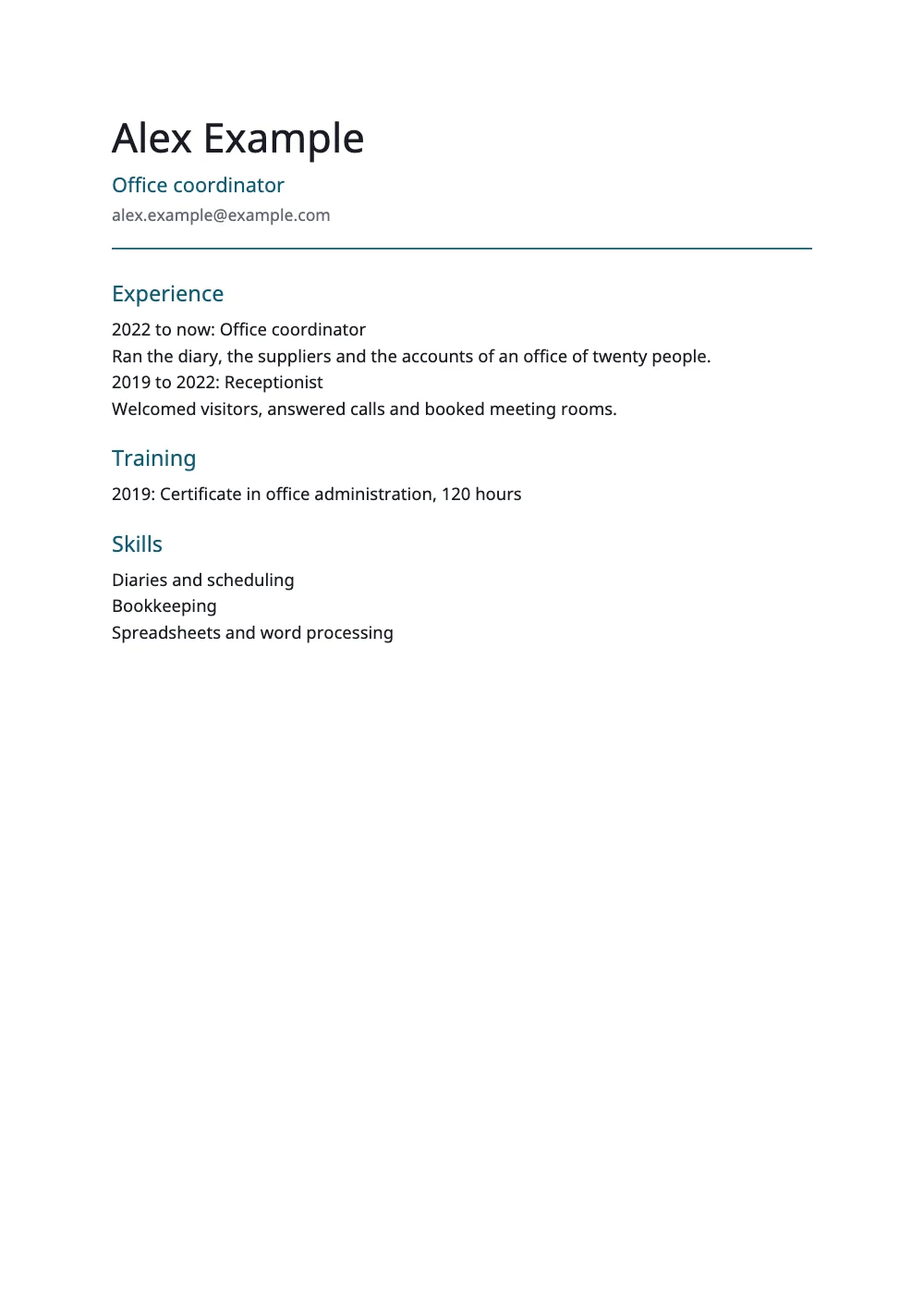
Try it: drag across the words on the page, or select all its text, then copy it. What you can copy is what the file holds.
The text in "The CV, made from a template"
Alex Example
Office coordinator
alex.example@example.com
Experience
2022 to now: Office coordinator
Ran the diary, the suppliers and the accounts of an office of twenty people.
2019 to 2022: Receptionist
Welcomed visitors, answered calls and booked meeting rooms.
Training
2019: Certificate in office administration, 120 hours
Skills
Diaries and scheduling
Bookkeeping
Spreadsheets and word processing
The certificate, scanned
1.3 MB. One A4 page that is a single picture, 2480 by 3508 pixels: a scan at 300 dots per inch. It holds no text.
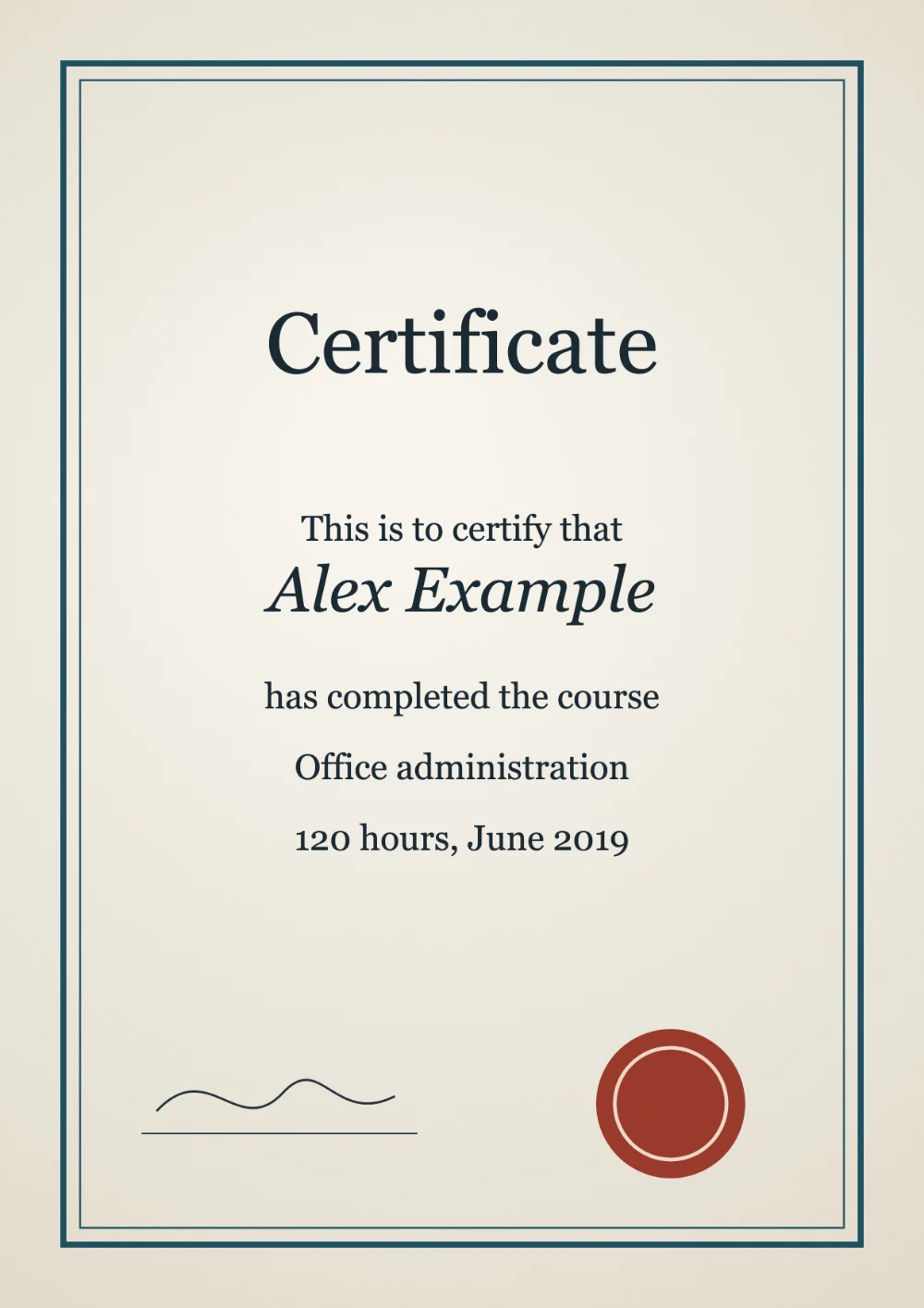
Try it: drag across the words on the page, or select all its text, then copy it. What you can copy is what the file holds.
The text in "The certificate, scanned"
This file holds no text at all.
The application, made in PDF Stitch
161 KB. The cover letter, a Word document, then the CV and the certificate, numbered, with the applicant's own title and name in its properties and the scan made smaller.
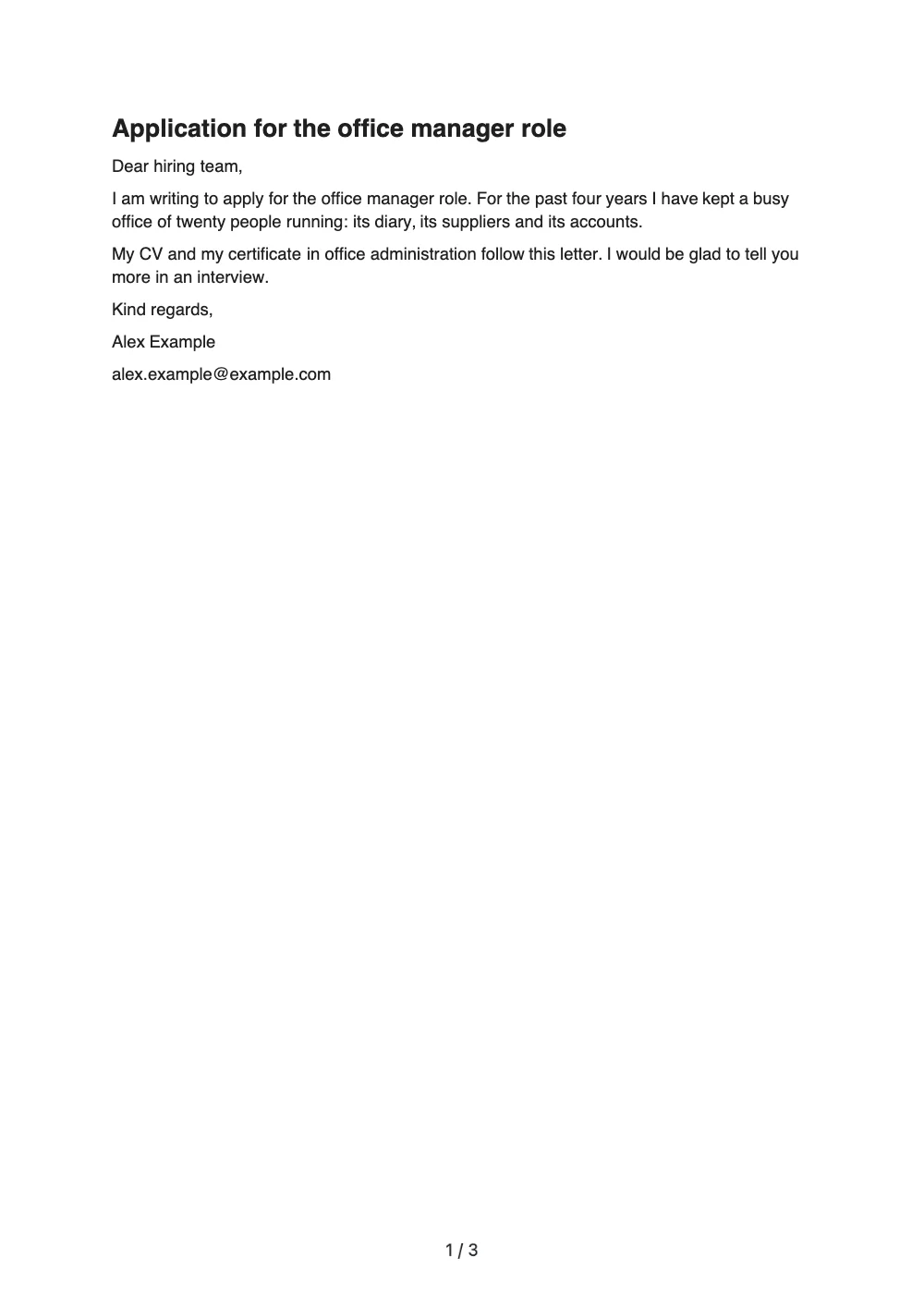
Try it: drag across the words on the page, or select all its text, then copy it. What you can copy is what the file holds.
The text in "The application, made in PDF Stitch"
Page 1
Application for the office manager role
Dear hiring team,
I am writing to apply for the office manager role. For the past four years I have kept a busy
office of twenty people running: its diary, its suppliers and its accounts.
My CV and my certificate in office administration follow this letter. I would be glad to tell you
more in an interview.
Kind regards,
Alex Example
alex.example@example.com
Page 2
Alex Example
Office coordinator
alex.example@example.com
Experience
2022 to now: Office coordinator
Ran the diary, the suppliers and the accounts of an office of twenty people.
2019 to 2022: Receptionist
Welcomed visitors, answered calls and booked meeting rooms.
Training
2019: Certificate in office administration, 120 hours
Skills
Diaries and scheduling
Bookkeeping
Spreadsheets and word processing
- Open the CV in your PDF reader and look at its document properties: its title is "Modern CV template" and its author is Pat Sample. Then look at the application's: its title is the applicant's own, and its author is Alex Example.
- Compare the sizes. The certificate alone is 1.3 MB; the whole application, cover letter, CV and certificate, is 161 KB.
- Look at the text under the certificate: there is none. A scan is a picture of the page, so nothing on it can be searched or copied.
How big can the file be?
There is no one limit. The job advert or the application form may say what it takes, and then that is the number that counts. These are what the systems and the advice we checked actually say:
- LinkedIn recommends a resume file of less than 2 MB, and takes only Word or PDF.
- Greenhouse, a hiring system employers take applications through, accepts uploads of up to 100 MB. But it says it cannot read the details out of a resume larger than 2.5 MB, and then someone has to type them in by hand.
- StepStone, a German job site, advises keeping all the documents together under 3 MB. Randstad says 5 MB.
- Bitkom, the German digital industry association, advises sending no email over 10 MB with all its attachments, even when the employer gives no limit.
- The University of Greifswald's application system takes at most 10 files, 20 MB in all, and says a PDF of one A4 page scanned or photographed should be 300 to 500 KB at most.
- Gmail lets a personal account send 25 MB of attachments. Anything larger goes as a Google Drive link instead of an attachment.
So without a number to go by, a file under 2 MB is within every limit on a whole file here. A PDF saved from a word processor is often only a few KB, Greifswald's guide says: what makes an application large is its scans and photos.
One file, or one for each document?
For email, and for a form with one place to upload, put everything in one PDF: StepStone, Bitkom and Boston Architectural College's career service all advise it, and StepStone and Bitkom say why: whoever reads it should not have to open attachment after attachment. Some application forms ask for the cover letter, the CV and the certificates each in a place of its own; then upload each where it is asked for.
The usual order: the cover letter first, then the CV, then certificates and references, then any work samples. StepStone puts an optional cover sheet before the cover letter. For an application sent by post, Japan's public employment service, Hello Work, puts the cover letter (送付状) on top, before the résumé (履歴書) and the career history (職務経歴書), and says that sent by email, the email takes the cover letter's place. Boston Architectural College advises writing the email as the cover letter and still putting the cover letter first in the PDF.
Its name: call the file by your name and what it is, not "CV.pdf" or "Bewerbung.pdf". StepStone gives Bewerbung_Vorname_Nachname.pdf as an example, and Bitkom advises a name such as the applicant's.
Put it together in PDF Stitch
PDF Stitch runs in your browser, and your documents are not uploaded. Word documents are turned into PDF pages as they come in; the first one needs a network connection to fetch the converter.
- Choose files and pick your cover letter, CV and certificates, or drop them on the page. Photos of certificates become pages too.
- Put the pages in order, the cover letter first, then the CV, then the certificates: drag each page into place, or right-click a page (or press its Page actions button) and choose Move to the start.
- If you want page numbers, open Tools, choose Page numbers, pick "1 / 12" under What to write and press Add numbers.
- Open More ways to export (the arrow next to Download), choose Rename stitch and give the file your name and what it is, such as "jane-doe-application".
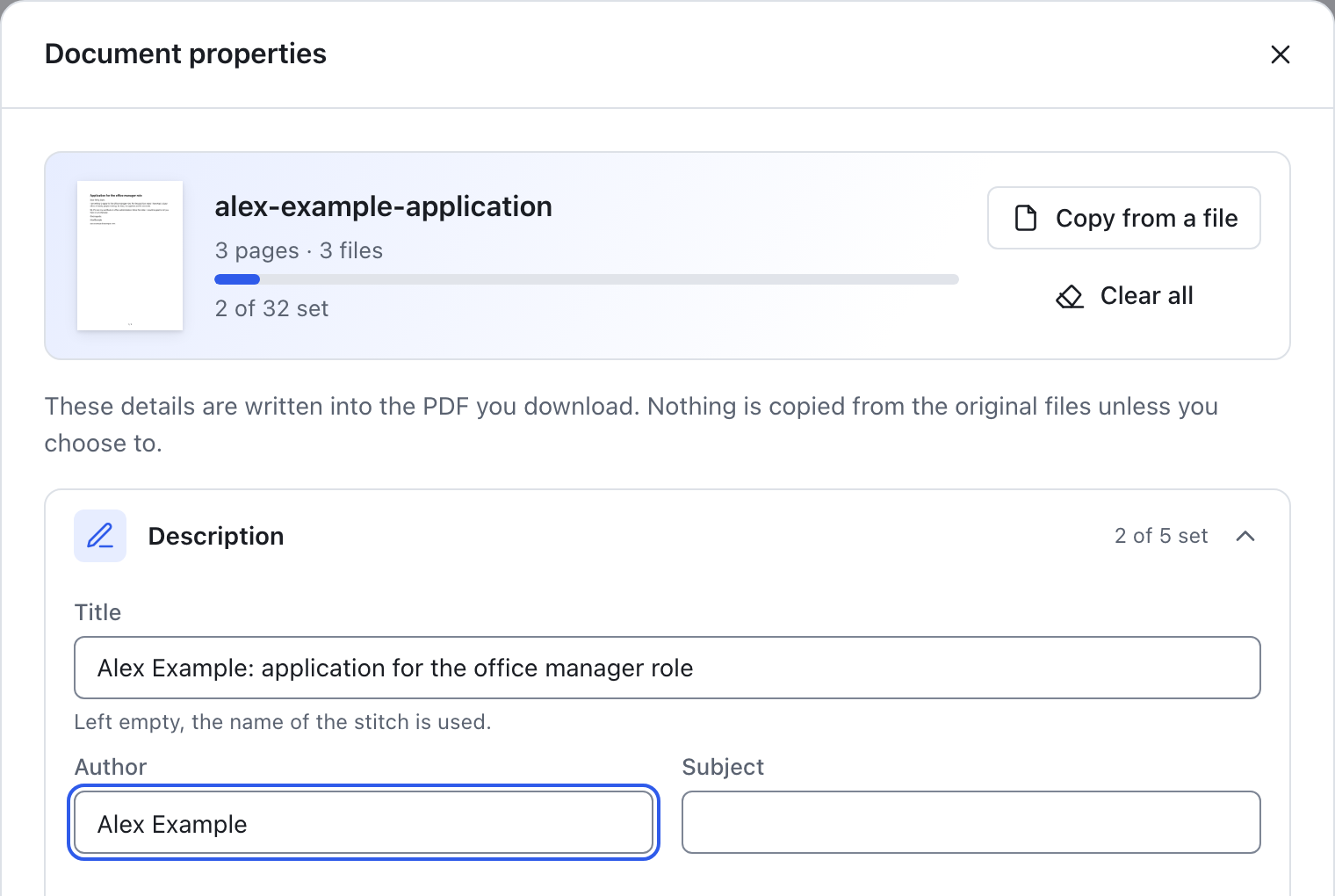
- Open More ways to export again and choose Document properties (or press the command key, Ctrl on Windows, and I), type your own Title and your name as Author, and press Save.
- Open More ways to export again, choose Compress…, then Balanced, and press Download.
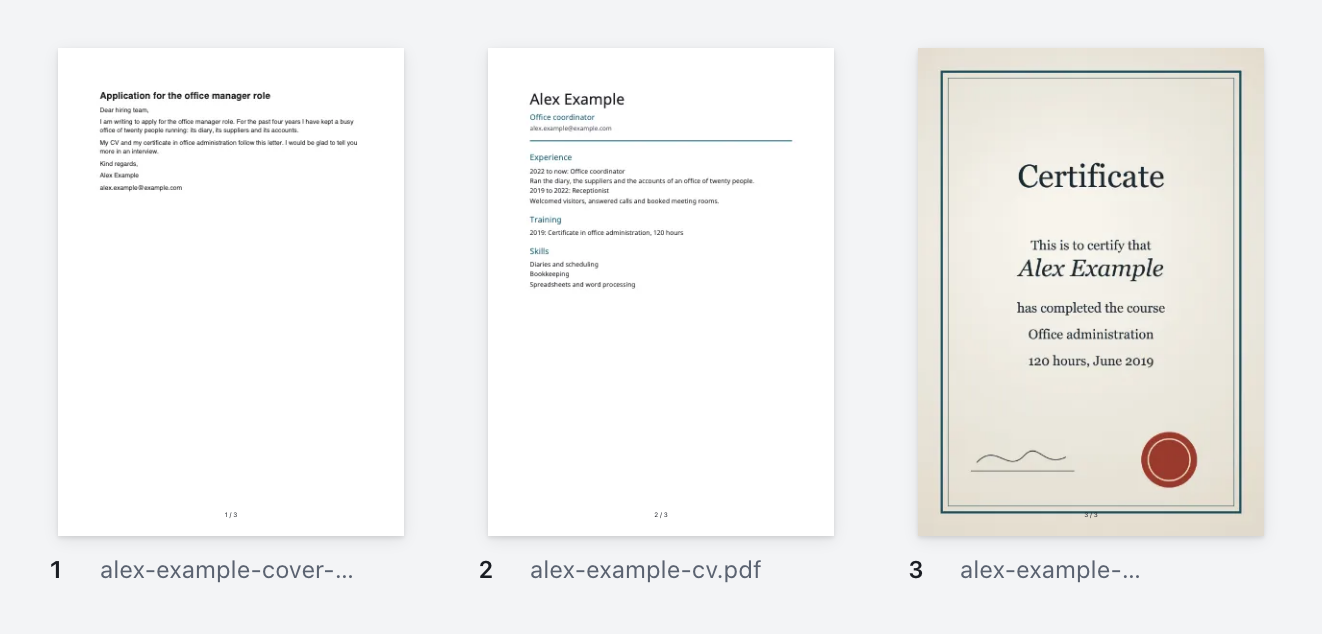

Then open the downloaded file and look through every page before you send it: that the order is right, that nothing is cut off or sideways, and that the scan can still be read.
What makes the file large, and how small it gets
Text takes little room. A scan or a photo is a picture, and a full-size one is large: an A4 page scanned at 300 dots per inch is 2480 by 3508 pixels, about 8.7 million, as Greifswald's guide works out, and it adds that an 8 megapixel photo from a phone is about as large. The University of Greifswald advises about 150 dots per inch for a scanned page, enough to print and to read on a screen.
Making the file smaller saves the pictures again, smaller, and leaves the text as it is:
- Balanced keeps each picture at most 2,000 pixels on its long side: about 170 dots per inch for a picture that fills an A4 page. A certificate stays sharp to read.
- As small as it goes keeps it at most 1,200 pixels, at a lower quality: about 100 dots per inch across a full page. Use it for a form with a tight limit; small print in a scan can blur.
A picture is only replaced if the new one comes out at least 10% smaller. If the file is still too big, leave out a certificate the advert did not ask for, or send the long ones only when asked.
What the file says about itself
Besides its pages, a PDF keeps a title, an author and other details of its own: the document's properties. A Word document keeps them too: Microsoft lists author, subject and title among a document's properties, and Microsoft 365 records the name of whoever last saved it. Word puts the document's properties into the PDF it saves when its Document properties option is selected. A CV started from a template or from someone else's file can still carry their title and their name, as the sample CV here does.
PDF Stitch copies none of this from the files you put together. The download takes the title you type, or else the name of the stitch, and an author only if you type one; Copy from a file brings in a file's own details, so leave it alone for an application.
You do not have to take our word for it
-
Watch the network
The "Nothing is uploaded" button in the app opens a list of every other site the page has contacted since you opened it, and how often, taken from the browser's own record. Your browser's developer tools show every request, this site's own included.
-
Pull the plug
Once the app has loaded, turn off your network and keep working. Text recognition, the document converter and the handwriting fonts work offline too after their first use.
-
Redaction that removes
A page with something blacked out is saved as a picture of itself, so the text under the box is gone, and every redacted page is checked before the file is saved.
Questions
- Is this free in PDF Stitch?
- Yes. Putting files together, turning Word documents into PDF as they are added, reordering pages, Page numbers, a title and author in Document properties, and making the file smaller are all free.
- Are my CV and certificates uploaded?
- No. PDF Stitch runs in your browser, and the files are not uploaded.
- How small should my application file be?
- As small as the job advert or the form asks for: that is the limit that counts. Without one, the advice we found ranges from 2 MB (LinkedIn's recommendation) to 10 MB for a whole email (Bitkom), so a file under 2 MB is within every whole-file limit we found.
- In what order do the documents go?
- The cover letter first, then the CV, then certificates and references, then any work samples. Some advice puts a cover sheet before the cover letter. If the form has a place for each document, upload each where it is asked for instead.
- My certificate is a photo on my phone. Can I add it?
- Yes. Add the picture as you add the other files and it becomes a page. A photo's page is the size of the picture, so to put every page on A4, open Document properties, then Paper and printing, choose A4 under Paper size and press Save.
- Why does the template's name not come along?
- Because PDF Stitch copies no title or author from the files you put together. The file gets the title and author you type in Document properties, and the app's name as the program that made it.
- Can the employer search the scanned certificate?
- Not as it is: a scan is a picture of the page and holds no text. Recognise text in scans in Tools adds its text, free up to 10 pages at a time and Pro over 10 pages, and fetches its language data the first time. Check the recognised text, as it can hold mistakes. The cover letter and the CV keep their own text.
Sources
- LinkedIn Help: Upload your resume to LinkedIn
- Greenhouse Support: Supported formats for resumes, cover letters and other candidate uploads
- Greenhouse Support: Unsuccessful resume parse
- StepStone: Bewerbungsunterlagen als PDF speichern und verschicken (updated 1 September 2025)
- Randstad: PDF-Datei erstellen
- Bitkom: Vier von zehn Unternehmen setzen ausschließlich auf digitale Bewerbungen (10 February 2022)
- University of Greifswald: Technische Hinweise zum Anhängen eingescannter Bewerbungsunterlagen
- Gmail Help: Send attachments with your Gmail message
- Boston Architectural College Career Services: The job application (revised August 2013)
- Hello Work (Japan's Ministry of Health, Labour and Welfare): 応募書類の作り方
- Microsoft Support: Remove hidden data and personal information by inspecting documents
- Microsoft Support: Save or convert to PDF or XPS in Office desktop apps